
Go | New | Find | Notify | Tools | Reply | |
| Hillbilly Wannabe |
S&W testThis message has been edited. Last edited by: 9x18, | ||
|
Baroque Bloke |
Why post those photos here? Experimenting with a photo post? This isn’t a good spot for that. Serious about crackers. | |||
|
| Hillbilly Wannabe |
Yes, you are correct. My bad . I'll delete. | |||
|
| Member |
So what is the proper forum to use to see if the image provider you plan to use is working ? Just asking for a friend. | |||
|
Member |
Start a new thread in the correct forum. Look at it when completed. Delete it or edit it until you reach nirvana. ------- Trying to simplify my life... | |||
|
| Peace through superior firepower  |
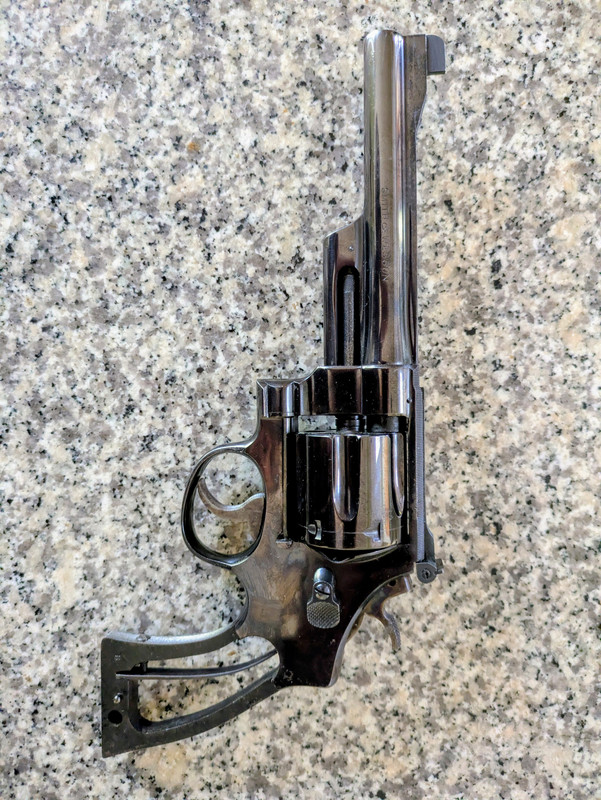 | |||
|
| Peace through superior firepower |
9x18, what you want to do is link to the image itself, and not the page which contains the image. Page which contains the image: https://postimg.cc/JtSvZJ53 The image itself: https://i.postimg.cc/CLK0ysZ2/...5-48c9c6fbe4b7-1.jpg To determine the URL for the image itself, go to the page which contains the image, right click on the image (this example is Windows OS and Firefox browser), right-click on the image and choose "Open image in new tab" Then, go to that new tab and copy the URL in the address bar, which, in this case, is https://i.postimg.cc/CLK0ysZ2/...5-48c9c6fbe4b7-1.jpg Paste that URL between the image tags [img] [/img] and the photo will be embedded in your post. Thusly: You can try it out in this thread. Any questions, please feel free to ask. BTW, nice Model 27 _______________________________________________ “What sickens me about left-wing people, especially the intellectuals, is their utter ignorance of the way things actually happen.” ~ George Orwell "That's one thing about intellectuals. They've proved that you can be absolutely brilliant and have no idea what's going on." ~ Woody Allen | |||
|
| Hillbilly Wannabe |
Thanks so much for the help. I have successfully uploaded a photo into a thread from imgur years ago. Somehow I wasn't able to use that host and tried postimage. I understand my mistake now and believe I can manage it with those instructions. It actually is easier than using the old [img] method. My apologies for the clutter . I was going to post eventually in the pistol section asking for help with I.d.ing this Smith. Turns out it is a pre-model 27. It belonged to a long time friend who passed and I'm trying to help his widow out a little. Again, thanks for your understanding. Dennis | |||
|
| Powered by Social Strata |
 | Please Wait. Your request is being processed... |
|
© SIGforum 2026