July 06, 2020, 07:48 AM
V-TailDrone control apps
quote:
Originally posted by Blume9mm:
You guys sure know more about this than me... I have enough trouble just taking off and landing....My biggest problem is there are a number of areas I work in that DJI won't let me take off because it is inline or near an air port. The logic escapes me in that with all the programing that goes into these things... just limit the maximum height the drone can fly to something like 60ft (not meters).
I fly "full scale," not drones.
I really don't want a drone that's too small to see and avoid, fluttering around at 60' AGL in the vicinity of an airport where I am certainly below 60' during departure or arrival.
If I have a problem (such as engine failure) on take-off, I am going to be looking for the closest open place to land. I certainly won't want to complicate an already precarious situation with the need to search for and maneuver around a drone.
July 06, 2020, 04:34 PM
Blume9mmMy "60ft rule / desire" was not on or in line near the run way but just kind of close to an airport. The crazy FAA rule extends their restricted area far beyond the area an approaching aircraft is going to be... here is map of the restricted areas around the Greenville S.C. downtown airport... note the 1 mile scale as well as he actual size of the runways...
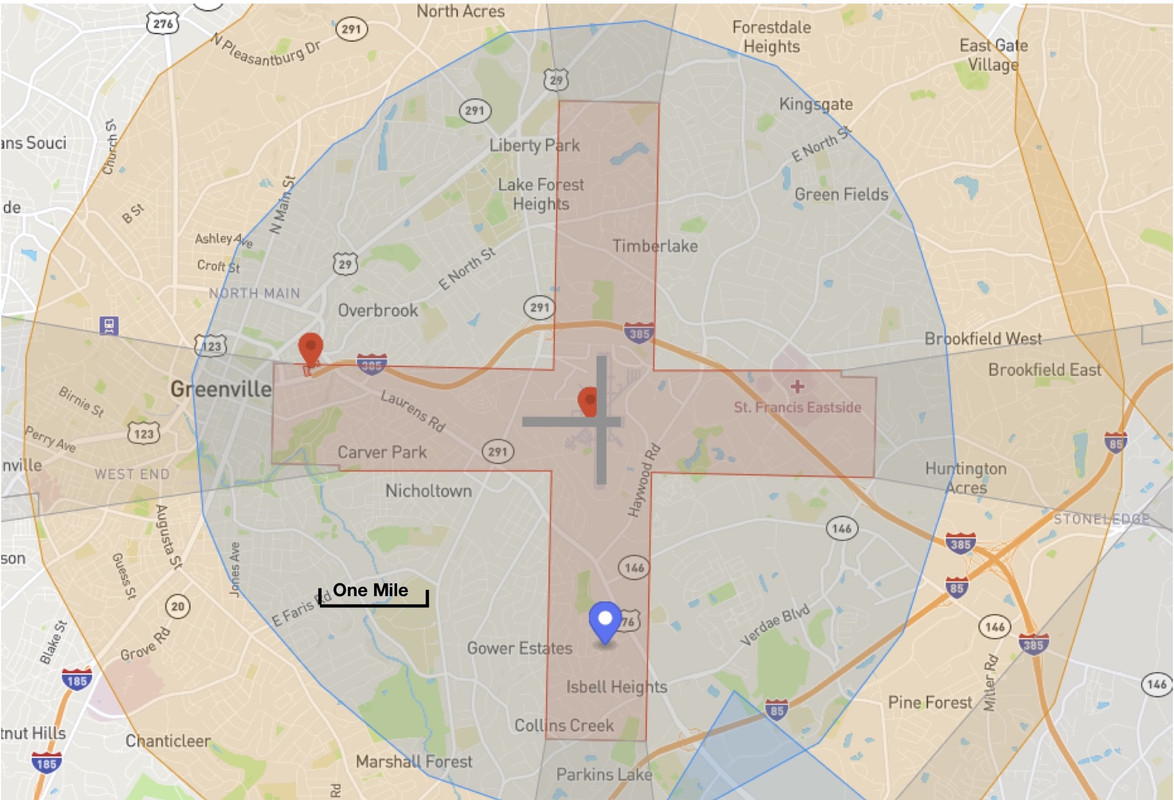
The red/pink
+ you can't fly in, the light blue circle you can with approval, the out badge circle you just get a warning.....
July 06, 2020, 05:05 PM
VictimNoMore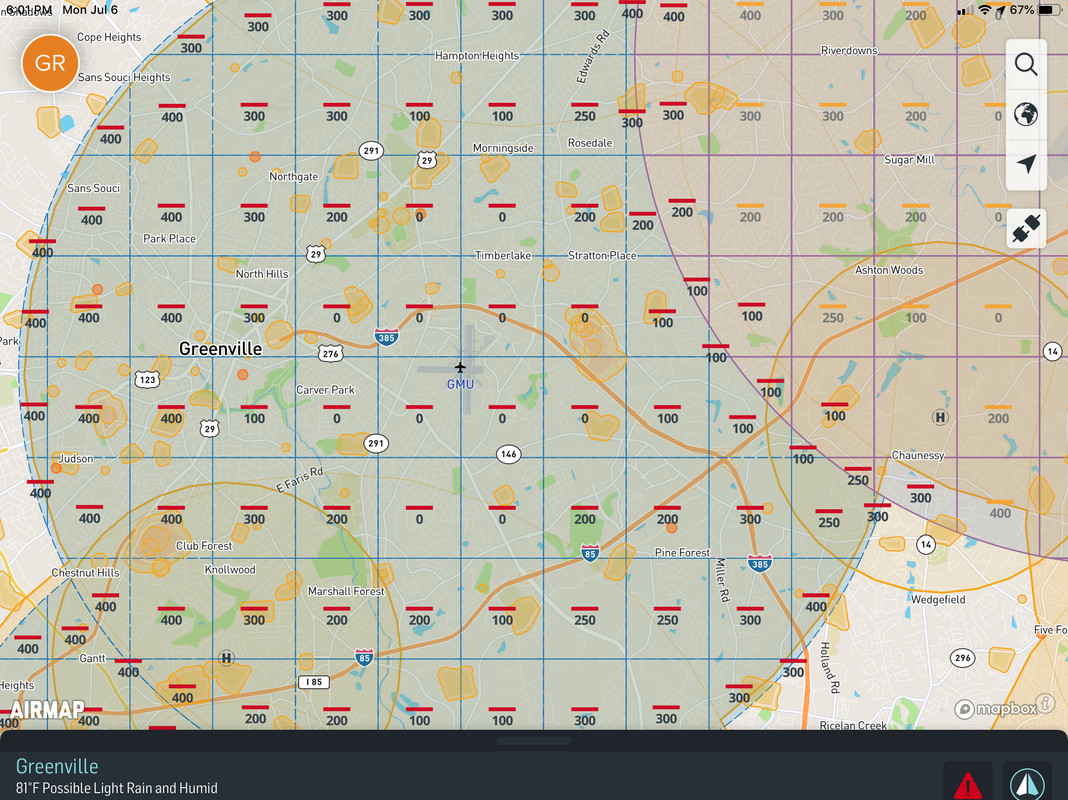
If you reference the Air Map app, you can fly in certain areas near the Greenville Downtown Airport, albeit at lower maximum altitudes.
EDIT: GMU is Class D airspace, so you will need to file a flight plan through LAANC.
July 06, 2020, 08:06 PM
jimmy123xquote:
Originally posted by V-Tail:
quote:
Originally posted by jimmy123x:
Wifi IPAD's do not have GPS capability. You need a cell model IPAD for that.
Two choices for GPS on an iPad:
- An iPad with cellular capability. You do NOT need a cellular data plan, but you do need the cellular capability because the GPS hardware is bundled with the cellular hardware.
- A GPS receiver dongle. These generally work just fine, and since many are WAAS enabled, the location accuracy can be, and usually is, more accurate than the built-in GPS in cellular capable iPads. The downside is, it's another thing to schlep.
And, it's expensive for a good seperate GPS dongle/antenna and it ties up the charging port.
July 06, 2020, 09:23 PM
V-TailThey can be had for less than $100, so the cost of wifi only iPad plus outboard GPS receiver vs. wifi+cell iPad is a wash.
There are bluetooth and wifi types available, so charging port is not necessarily tied up.
I have seen many variations used by my aviation clients, including a wifi model that served everyone in the airplane using navigation apps on iPhone and iPad.